
Controls
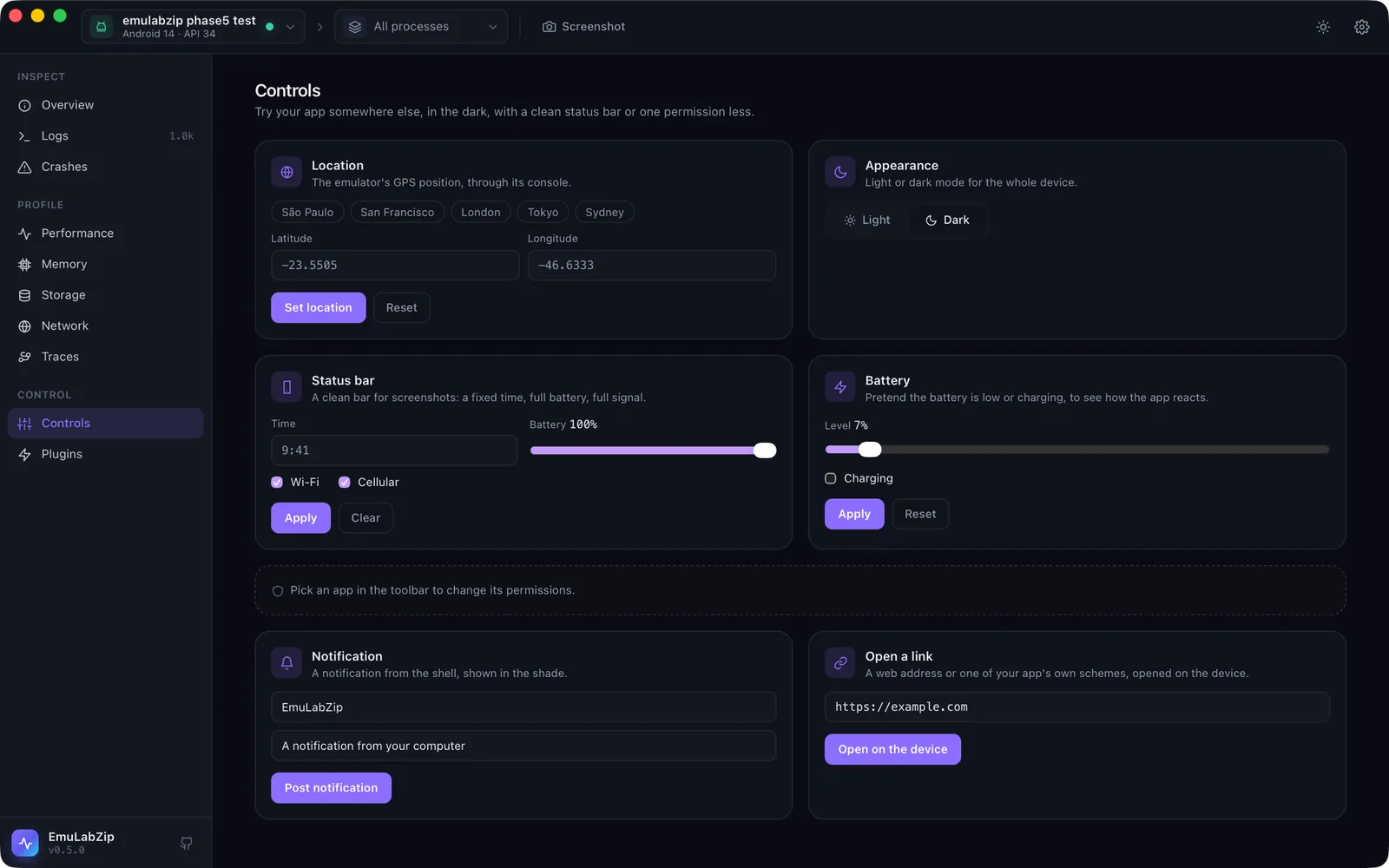
Controls 工具可以改变设备报告或执行的内容,这样你就能在别处、在黑暗中、用干净的状态栏或少一项权限来试用应用,而无需触碰设备自带的设置页面。每一项更改都可以在同一张卡片上撤销。
| Control | Android | iOS Simulator |
|---|---|---|
| Location | 仅限模拟器,通过模拟器控制台 | ✅ |
| Appearance(浅色或深色) | Android 10 及更新版本 | ✅ |
| Status bar(时间、电池、Wi-Fi、蜂窝网络) | SystemUI 演示模式 | ✅ |
| Battery(电量、充电) | ✅ | 无法实现:请使用状态栏 |
| Permissions | 授予和撤销所选应用的任何运行时权限,并显示当前状态 | 授予、撤销或再次询问某项服务(照片、位置等) |
| Notification | 从 shell 发出 | 向所选应用发送模拟推送,也可以使用你自己的负载 |
| Open a link | ✅ | ✅ |
快速开始#
打开 Controls(⌘9)。只显示所选设备支持的卡片。权限卡片跟随工具栏中所选的应用。每次更改后都会回读设备,因此页面显示的是设备真实报告的内容。
在终端中:
emulabzip control appearance dark
emulabzip control location set -23.5505 -46.6333       # São Paulo
emulabzip control location clear
emulabzip control statusbar set --time 9:41 --battery 100
emulabzip control statusbar clear
emulabzip control permission com.example.app android.permission.CAMERA revoke
emulabzip control permission com.example.app photos reset      # iOS
emulabzip control notify com.example.app --title Hello --body "A test"
emulabzip control open myapp://items/3
emulabzip control battery set 15
emulabzip control battery reset
emulabzip control info --app com.example.app # what is supported, and the permissions每一项在设备上做什么#
Android。 一切都通过 shell 可以运行的 cmd、settings、pm、am 和 dumpsys 完成,位置则通过模拟器控制台完成。
Location 向
localhost:<port>上的控制台发送geo fix,令牌在~/.emulator_console_auth_token中。模拟器无法忘记某个位置,所以 Reset 会把它放回自己的默认位置(Googleplex)。不支持实体设备。Appearance 是
cmd uimode night yes|no,并会回读。Status bar 会进入 SystemUI 的演示模式(
sysui_demo_allowed被设为 1 并保持不变),显示你要求的内容,并隐藏通知图标。Clear 会退出演示模式。Battery 是
dumpsys battery set level,充电时用set ac 1,否则用unplug。Reset 是dumpsys battery reset。Notification 是
cmd notification post。Android 以运行该命令的身份发出通知,因此当adbd是 root 时(没有 Google Play 的模拟器),EmuLabZip 会以 shell 用户身份运行它。应用参数会被忽略。Text size 是
settings put system font_scale,以正常大小的百分比表示(50 到 300)。Language 是针对一个应用的
cmd locale set-app-locales(Android 13 及更新版本),包括伪区域设置en-XA和ar-XB。Display size 是wm size和wm density。这三项都可以恢复。参见语言、文字大小与放不下的文字。Touch, swipe, text and keys 是
input tap、input swipe、input text和input keyevent;Launch 是带有启动器类别的monkey -p;Verify links 是pm verify-app-links --re-verify。参见输入与流程和深层链接。
iOS Simulator。 一切都是 xcrun simctl:location、ui appearance、status_bar、privacy、push 和 openurl,文字大小使用 ui content_size,语言使用全局默认值(AppleLanguages、AppleLocale),应用会在重新启动时采用。iOS 不会报告应用拥有哪些权限,因此该卡片只提供服务和操作。Launch 是 simctl launch;iOS 上不提供触摸、滑动、文字和按键,因为它没有公开的发送方式。
安全#
每一项控制在到达设备之前都会经过检查,无论它来自应用、命令行还是 AI 助手:坐标必须是范围内的数字,时间必须像时间,名称只能使用普通字符,负载必须是不超过 4 KB 的 JSON。链接可以使用 http、https 或应用自己的 scheme;file:、javascript:、data:、content:、intent: 等类似的都会被拒绝。传入 Android shell 的值会加引号,simctl 的启动不经过 shell。