
视觉回归
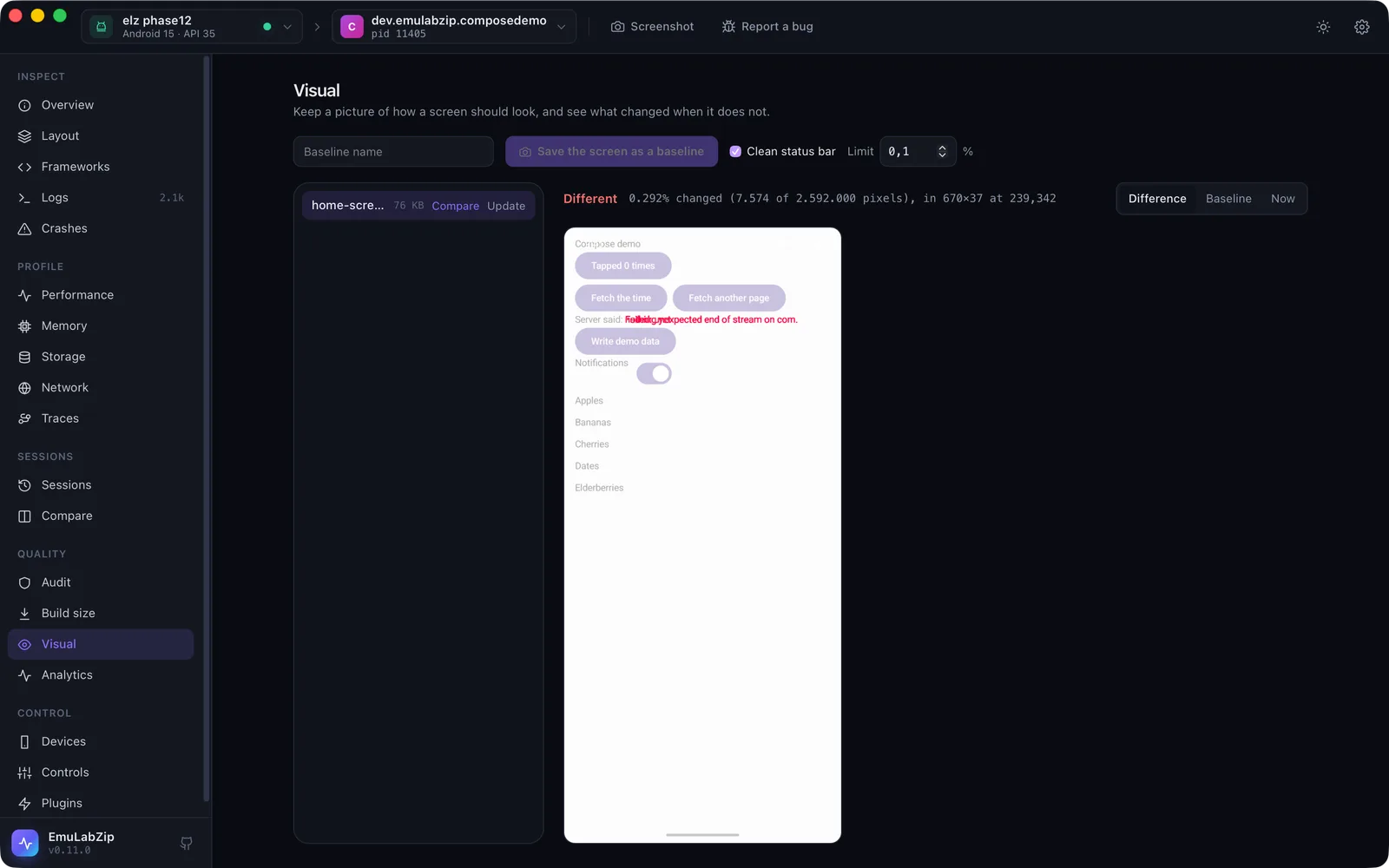
保存一张屏幕应有样子的图片(基线),当它不一致时,查看发生了什么变化。
emulabzip visual capture home --status-bar          # save the screen as a baseline
emulabzip visual compare home --status-bar          # exit 1 when more than the limit changed; draws the difference
emulabzip visual update home --yes --status-bar     # accept the screen as the new baseline
emulabzip visual list
emulabzip visual diff a.png b.png -o diff.png       # two screenshot files
emulabzip visual session a.ezsession b.ezsession -o diffs/    # the screenshots of two recordings, in order
基线是项目的 visual/ 文件夹(或 [visual] baseline_dir)中的 PNG 文件,名称由字母、数字、.、_ 和 - 组成。基线绝不会被意外替换:capture 会拒绝已存在的名称,update 需要 --yes。
什么算变化#
每个像素都会与其基线逐通道比较。当某个通道的差异超过容差(默认为 255 中的 8,可吸收抗锯齿和编码器取整造成的差异)时,该像素就算变化。比较会报告有多少像素发生变化、占屏幕的百分比,以及包含所有变化的最小矩形。差异会画成一张 PNG,变化的像素用红色显示,叠在屏幕的淡化副本上。限制是一个百分比(--threshold,默认为 0.1)。
尺寸不同的屏幕不会被比较:它们来自不同的设备、方向或显示尺寸,错误信息会这样说明。
时钟和电池#
状态栏每分钟都会变化。--status-bar 会在截图时显示一个干净的状态栏(9:41,电量和信号满格),之后再恢复真实的状态栏,因此这些像素每次都相同。任何其他会动的内容(广告、视频、日期)都可以用 ignore 区域排除在比较之外。
在 emulabzip.toml 中#
[visual]
threshold_percent = 0.1          # how much of the screen may change
tolerance = 8                    # how far a colour channel may differ before a pixel counts
baseline_dir = "ui/baselines"    # relative to the project; default "visual"

[[visual.ignore]]                # parts of the screen to leave out, in pixels
name = "clock"
x = 0
y = 0
width = 1080
height = 120
在 ci 中#
emulabzip ci -o run.ezsession --visual home --fail-on-visual -- ./gradlew connectedCheck命令结束后,屏幕会与基线 home 比较,结果会写入 Markdown 摘要,使用 --fail-on-visual 时,超出限制会使运行失败。基线会在任何内容运行之前被读取。
在设备之间#
用 visual diff 比较来自两台设备的两张截图,或者在一台设备上抓取,在另一台上用 compare -d <other> 比较。它们的像素尺寸必须相同。
在桌面端#
Visual 视图会列出基线(保存在 EmuLabZip 自己的 visual 文件夹中),可以把屏幕保存为基线、进行比较,并显示差异、基线或当前屏幕。Update 会在替换图片之前先询问。
面向 AI 助手#
通过 MCP,visual_compare 会返回数字和差异图片。它不会创建或替换基线。
限制#
- 基线是一张截图,因此屏幕上出现过的任何内容都可能在其中。不要提交包含个人数据的屏幕的基线。
- 它比较的是像素,而不是含义:所有内容偏移一个像素就会让一切都变化。请按需要调整容差和限制,并保持状态栏干净。