
Controls
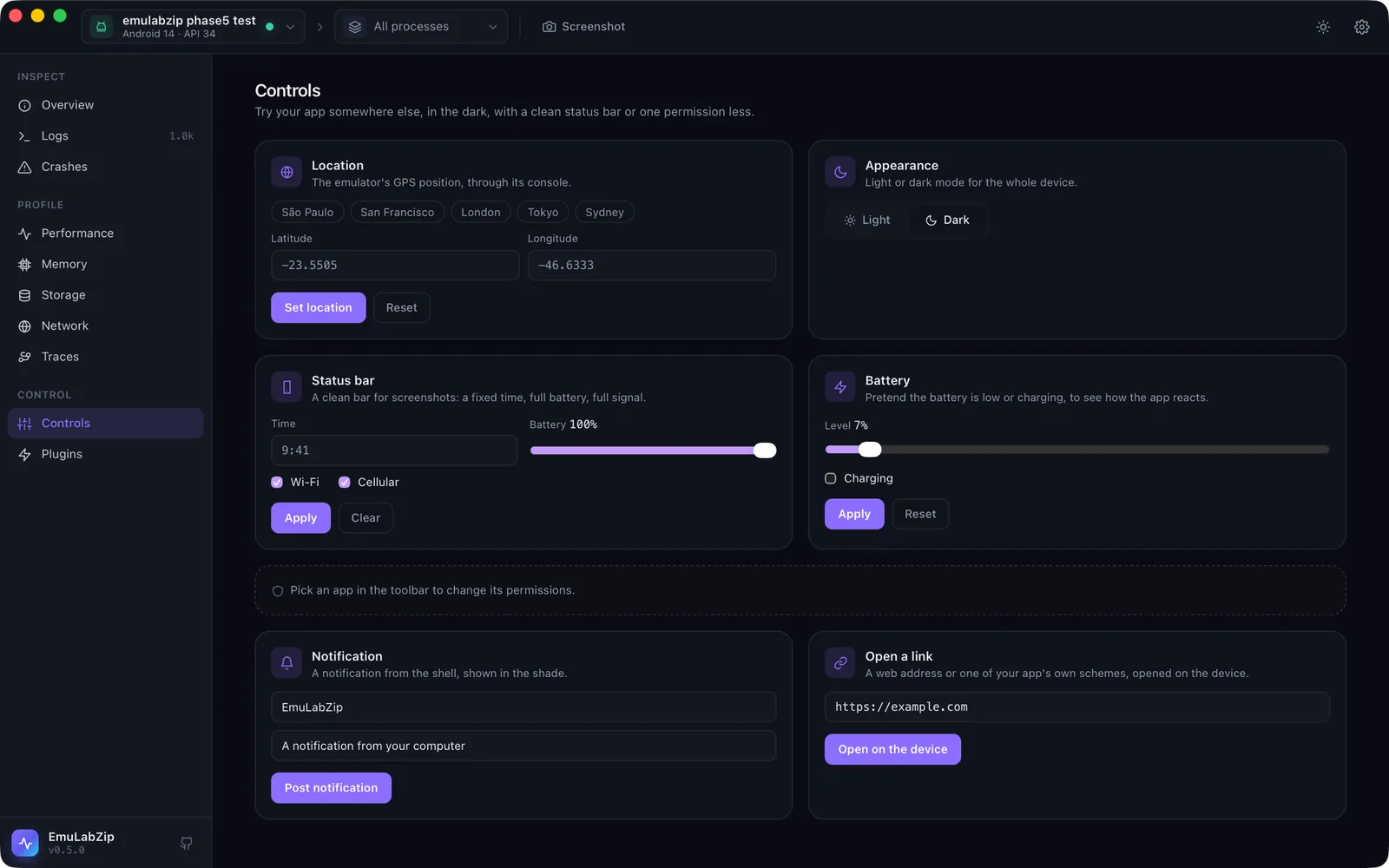
The Controls tool changes what a device reports or does, so you can try an app somewhere else, in the dark, with a clean status bar or one permission less, without touching the device's own settings screens. Every change can be undone from the same card.
| Control | Android | iOS Simulator |
|---|---|---|
| Location | Emulators only, through the emulator console | ✅ |
| Appearance (light or dark) | Android 10 and newer | ✅ |
| Status bar (time, battery, Wi-Fi, cellular) | SystemUI demo mode | ✅ |
| Battery (level, charging) | ✅ | not possible: use the status bar |
| Permissions | Grant and revoke any runtime permission of the picked app, with the current state shown | Grant, revoke or ask again for a service (photos, location, …) |
| Notification | Posted from the shell | A simulated push to the picked app, with your own payload if you like |
| Open a link | ✅ | ✅ |
Quick start#
Open Controls (⌘9). Only the cards the selected device supports are shown. The permissions card follows the app picked in the toolbar. After each change the device is read back, so the page shows what it really reports.
From a terminal:
emulabzip control appearance dark
emulabzip control location set -23.5505 -46.6333       # São Paulo
emulabzip control location clear
emulabzip control statusbar set --time 9:41 --battery 100
emulabzip control statusbar clear
emulabzip control permission com.example.app android.permission.CAMERA revoke
emulabzip control permission com.example.app photos reset      # iOS
emulabzip control notify com.example.app --title Hello --body "A test"
emulabzip control open myapp://items/3
emulabzip control battery set 15
emulabzip control battery reset
emulabzip control info --app com.example.app                    # what is supported, and the permissions
What each one does on the device#
Android. Everything goes through cmd, settings, pm, am and dumpsys, which the shell may run, and through
the emulator console for the location.
Location sends
geo fixto the console onlocalhost:<port>, with the token in~/.emulator_console_auth_token. The emulator has no way to forget a position, so Reset puts it back at its own default (the Googleplex). Physical devices are not supported.Appearance is
cmd uimode night yes|no, and is read back.Status bar enters SystemUI's demo mode (
sysui_demo_allowedis set to 1 and left that way) and shows what you asked for, with the notification icons hidden. Clear leaves demo mode.Battery is
dumpsys battery set level, withset ac 1for charging andunplugotherwise. Reset isdumpsys battery reset.Notification is
cmd notification post. Android posts it as whoever runs the command, so whenadbdis root (the emulators without Google Play) EmuLabZip runs it as the shell user. The app argument is ignored.Text size is
settings put system font_scale, as a percentage of normal (50 to 300).Language is
cmd locale set-app-localesfor one app (Android 13 and newer), including the pseudo-localesen-XAandar-XB. Display size iswm sizeandwm density. All three can be put back. See Language, text size and text that does not fit.Touch, swipe, text and keys are
input tap,input swipe,input textandinput keyevent; Launch ismonkey -pwith the launcher category; Verify links ispm verify-app-links --re-verify. See Input and flows and Deep links.
iOS Simulator. Everything is xcrun simctl: location, ui appearance, status_bar, privacy, push and
openurl, with ui content_size for the text size and the global defaults (AppleLanguages, AppleLocale) for the language, which an app takes when it starts again. iOS does not report which permissions an app has, so the card offers the services and the actions only. Launch is simctl launch;
touches, swipes, text and keys are not offered on iOS, which has no public way to send them.
Safety#
Every control is checked before a device sees it, whether it comes from the app, the command line or an assistant:
coordinates must be numbers in range, the time must look like a time, names may only use plain characters, and a
payload must be JSON of at most 4 KB. Links may use http, https or an app's own scheme; file:, javascript:,
data:, content:, intent: and similar are refused. Values that reach the Android shell are quoted, and simctl is
started without a shell.