
Devices: emulators and simulators
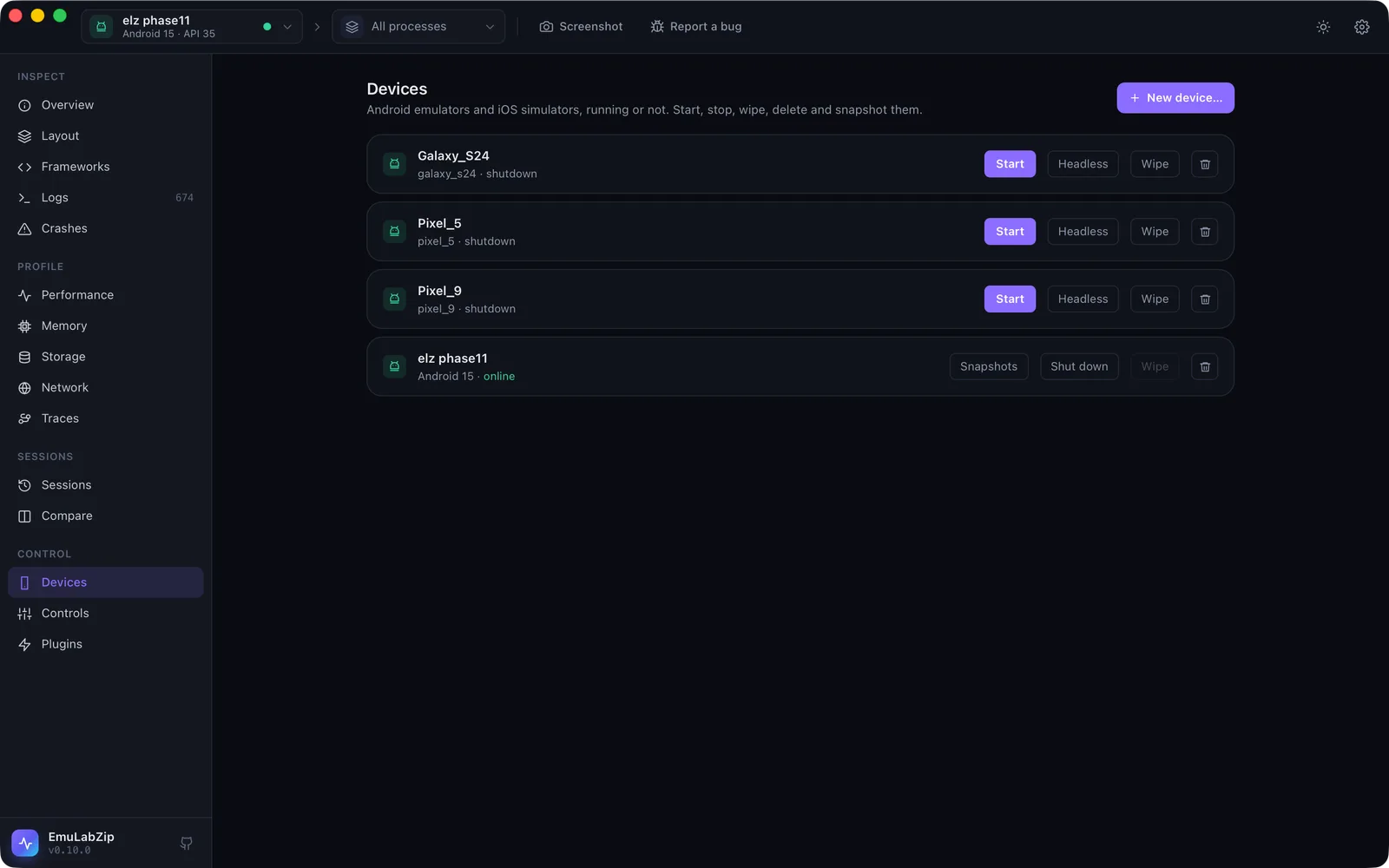
The Devices view and the avd, sim and snapshot commands make, start, stop, wipe and delete emulators and
simulators, and keep an emulator's snapshots. Until now EmuLabZip only saw devices that were already running.
emulabzip devices --all                       # running or not; a stopped one has the state "shutdown"
emulabzip avd options                         # system images and device definitions
emulabzip avd create Pixel_Test --image "system-images;android-35;google_apis;arm64-v8a" --model pixel_6
emulabzip avd boot Pixel_Test --headless
emulabzip snapshot save before-login -d emulator-5554
emulabzip snapshot load before-login -d emulator-5554 --yes
emulabzip avd shutdown Pixel_Test
emulabzip avd wipe Pixel_Test --yes
emulabzip avd delete Pixel_Test --yes
sim is the same for the iOS Simulator (sim options lists runtimes and device types; sim wipe is also sim erase).
What needs --yes#
Anything that throws data away: wipe (erase), delete, boot --wipe and snapshot load and delete. The command
says what it needs before it looks for any device. The desktop app asks in a dialog. Starting, stopping, creating and
saving a snapshot need nothing.
A running device is not deleted, and an Android emulator is not wiped while it runs: shut it down first.
Android#
| How | |
|---|---|
| List | ~/.android/avd/*.ini (or ANDROID_AVD_HOME) joined with what adb sees; an emulator that is not running has the id avd:<name> |
| Options | The system images installed under the SDK, and avdmanager list device |
| Create, delete | avdmanager |
| Start | emulator -avd <name>, detached, until sys.boot_completed; --headless has no window, --cold skips the quick-boot snapshot, --wipe starts from factory state |
| Stop | The emulator console (kill) |
| Wipe | Deletes the AVD's userdata-qemu.img, cache and snapshots, so it starts from factory state next time (the emulator must be stopped); boot --wipe starts with -wipe-data |
| Snapshots | The console: avd snapshot list, save, load, del |
The SDK is found from ANDROID_HOME, ANDROID_SDK_ROOT and the usual folders. A running emulator reports its name with
underscores turned into spaces; EmuLabZip matches the two.
iOS Simulator#
simctl create, boot, shutdown, erase and delete, with the runtime and device type identifiers from
simctl list. delete of a booted simulator is refused here (simctl itself would
allow it).
Names#
A name is letters, digits, ., _ and -, up to 64 characters, so it can never carry anything to avdmanager,
emulator or simctl. Images and runtimes also allow ; and :.
For assistants#
Over MCP: list_all_devices, boot_device, shutdown_device, list_emulator_snapshots and
save_emulator_snapshot. Booting never wipes. Wiping, deleting and loading a snapshot are not offered.