
Build size
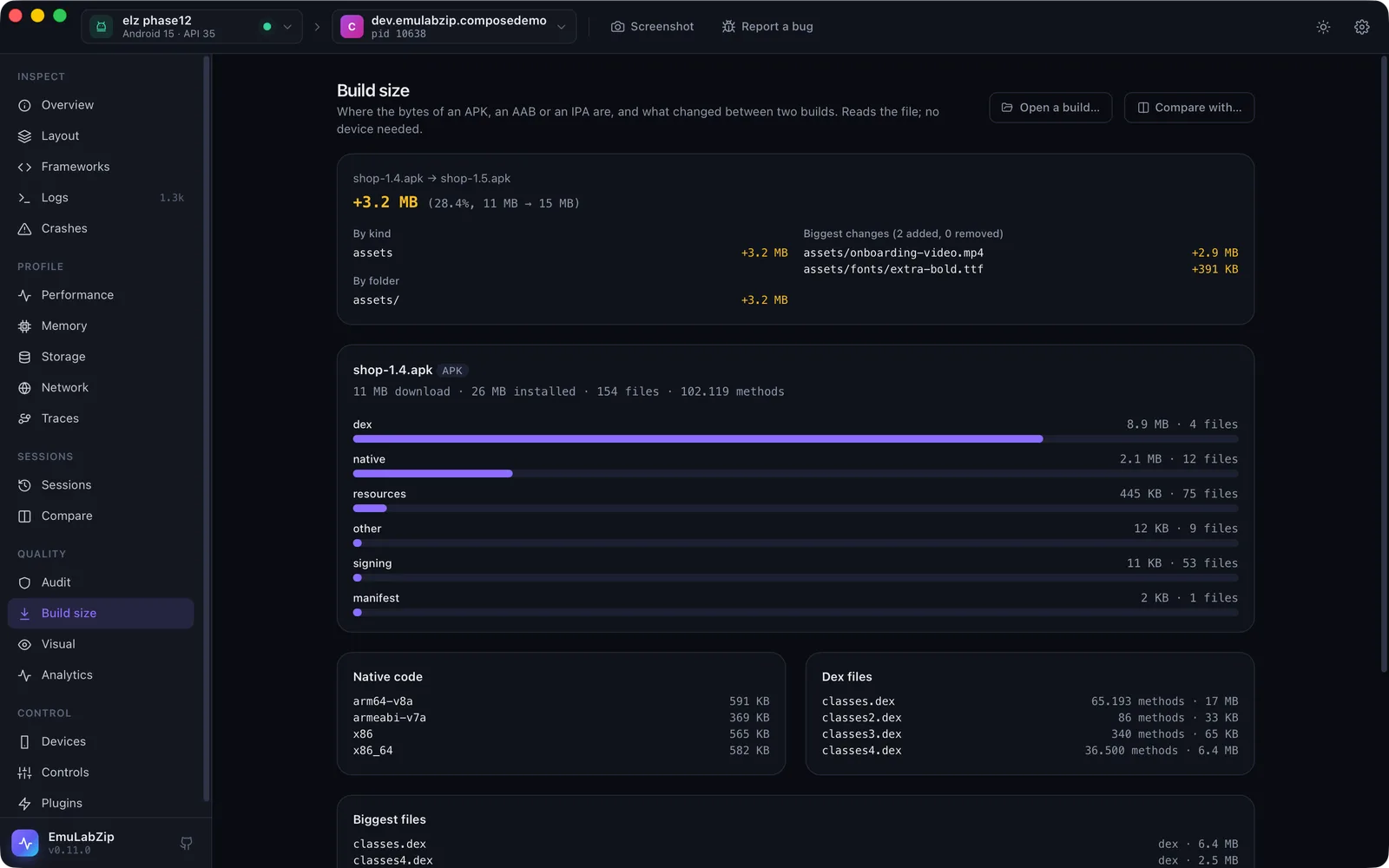
emulabzip size takes an APK, an AAB or an IPA apart and says where its bytes are, emulabzip size diff says what
changed between two builds, and a size budget in emulabzip.toml fails CI when a build grows too much. It reads the
file on this computer: no device, no SDK tool, no Xcode.
emulabzip size show app-release.apk
emulabzip size show app-release.aab --json
emulabzip size diff app-1.4.apk app-1.5.apk
emulabzip size diff app-1.4.apk app-1.5.apk --fail-on-growth 5      # exit 1 over 5% growth
emulabzip size show app-release.apk --budget --baseline app-1.4.apk # hold it to [size] in emulabzip.toml
What you get#
- The download size (compressed, as stored in the file) and the installed size, by kind:
dex(compiled code),native(lib/<abi>/*.so, and on iOS the executable andFrameworks/),resources,assets,manifest,signingandother. - Native code per ABI (
arm64-v8a,x86_64…), so a build that ships four of them is plain to see. On an IPA,Frameworksand the executable. - Each dex file with its classes and methods, read from its header, and the total against the 65,536 methods one dex file can hold.
- An AAB's modules (
base, and the feature modules). - The biggest files.
- With
diff: the total and percentage, the change by kind and by folder, and the biggest files added, removed and changed.
A file is told to be an APK, an AAB or an IPA by what is inside it, not by its name.
The budget#
[size]
max_total_mb = 25          # the download size, compressed
max_dex_mb = 8
max_native_mb = 12
max_resources_mb = 6
max_methods = 60000        # all dex files together
max_growth_percent = 5     # against a baseline build (--baseline, or ci --size-baseline)
Sizes are megabytes (1,048,576 bytes) of compressed size. Every key is optional, an unknown key is an error, and a growth limit with no baseline build is reported rather than passed. In CI:
emulabzip ci -o run.ezsession --size app-release.apk --size-baseline last-release.apk -- ./gradlew connectedCheckThe build is read before anything runs, so a missing file does not cost a test run. See Budgets.
On the desktop#
The Build size view opens a build with a file dialog (no device needed), shows the bars by kind, the native code, the dex files and the biggest files, and Compare with… a second build.
Limits#
- It does not open the compiled manifest or the dex bytecode: sizes, folders and the dex header only. For a class-level breakdown use Android Studio's APK Analyzer.
- It does not yet read the installed app from a device: pull the file first (
adb shell pm path,adb pull). - Over MCP (
analyze_package,diff_packages) a file is accepted only with an.apk,.aabor.ipaextension.