
Plugins
A plugin is your own collector. It is a folder with a plugin.json and a program. EmuLabZip starts the program for a
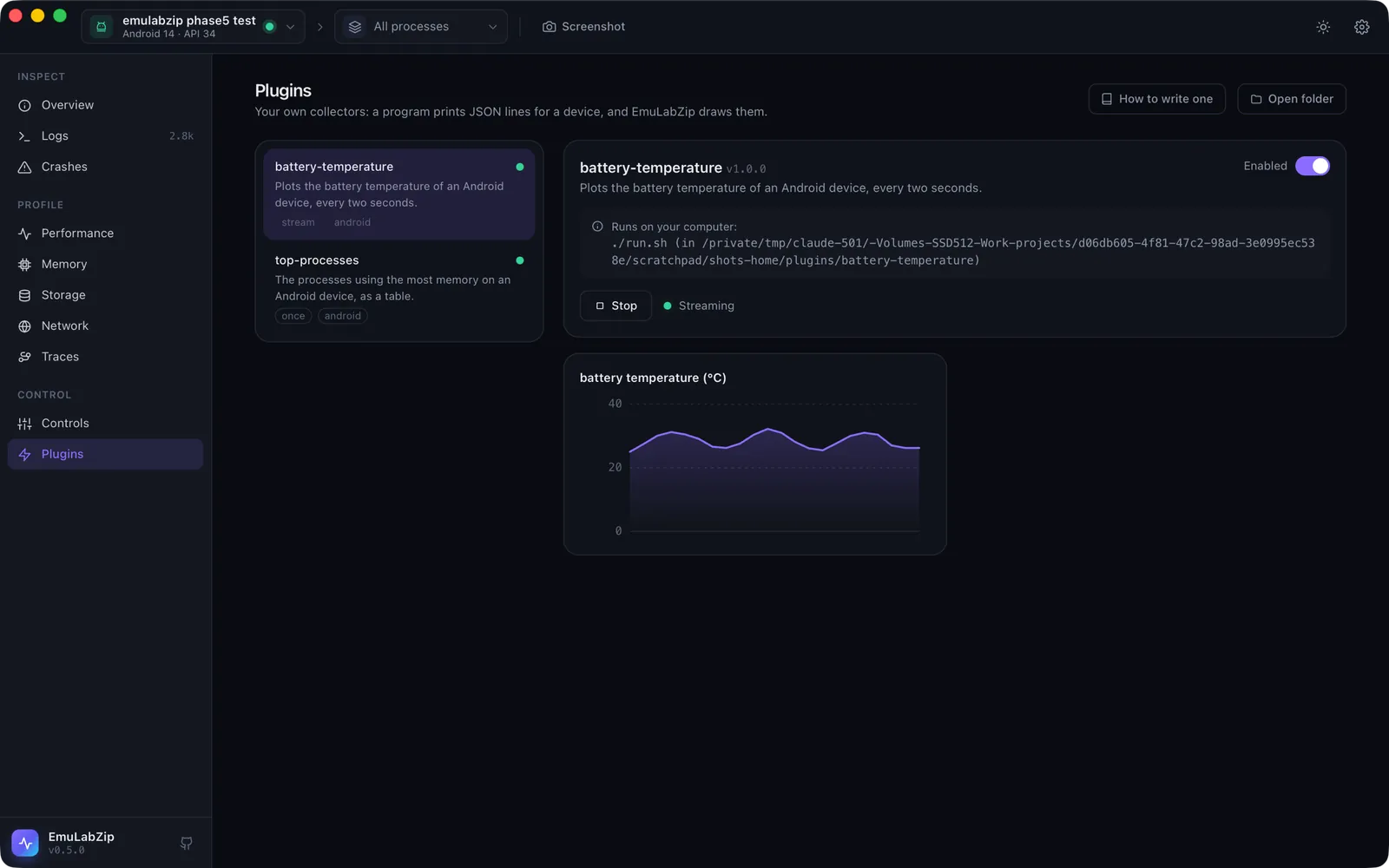
device, the program prints one JSON object per line on its standard output, and EmuLabZip draws them: metrics as charts
or tiles, tables, text and log lines.
There is no plugin code inside the app. A plugin cannot change the interface or break it, and it can only do what a program you started yourself could do.
Install, enable, run#
emulabzip plugin new my-plugin                       # a template in the plugins folder
emulabzip plugin install examples/plugins/top-processes   # copy a plugin folder in
emulabzip plugin list
emulabzip plugin enable my-plugin
emulabzip plugin run my-plugin --app com.example.app
In the app, open Plugins. Plugins live in the plugins folder inside EmuLabZip's data folder (Open folder).
A plugin is a program that runs as you. So it never runs until you enable it, and enabling shows the exact command
and where it runs from. The approval is tied to the contents of plugin.json: change the file and the plugin is
disabled again. The app and the MCP server only run enabled plugins. On the command line, emulabzip plugin run <name>
is your own request to run it. Read a plugin before you enable it.
plugin.json#
{
  "protocol": 1,
  "name": "battery-temperature",
  "version": "1.0.0",
  "description": "Plots the battery temperature of an Android device.",
  "platforms": ["android"],
  "command": ["./run.sh"],
  "mode": "stream",
  "timeoutS": 60
}| Field | Meaning |
|---|---|
protocol | Must be 1. |
name | Letters, digits, - and _. It must be the name of the folder. |
version, description | Shown in the list. |
platforms | android, ios, or both. Empty means both. |
command | The program and its arguments, never run through a shell. The program is looked up in the plugin's folder first, then on the PATH. |
mode | once: the program prints its results and exits. stream: it keeps running and prints as it goes, until stopped. |
timeoutS | For once: seconds before the program is stopped (default 60, at most 600). |
What the program gets#
The working directory is the plugin's folder, and the environment has:
| Variable | Value |
|---|---|
EMULABZIP_DEVICE | The adb serial or the simulator UDID |
EMULABZIP_PLATFORM | android or ios |
EMULABZIP_APP | The picked app (package name or bundle id), empty when none |
EMULABZIP_ADB | The path of adb (the SDK's copy, or adb) |
EMULABZIP_PLUGIN_DIR | The plugin's folder |
EMULABZIP_PROTOCOL | 1 |
What the program prints#
One JSON object per line, with a type:
{"type":"metric","name":"battery temperature","value":25.0,"unit":"°C"}
{"type":"table","title":"Top processes","columns":["PID","MB","Name"],"rows":[[552,217.9,"system_server"]]}
{"type":"text","title":"Picked app","body":"com.example uses 120 MB"}
{"type":"log","level":"warn","message":"adb was slow"}
{"type":"error","message":"The device did not answer"}metric: a number. Instreammode every value is a point on a chart (the last 120 are kept); inoncemode it is a tile.table: cells are text, numbers, booleans or null. A row may be shorter than the columns, never longer, and cells cannot hold lists or objects.text,log: shown as they are.error: shown as an error. A program that exits with an error code and says nothing gets one made from its exit code and the end of its error output.
Lines that are not JSON, and events of a type this version does not know, are skipped, so a plugin can print progress for people and use newer events safely. Flush after each line when the plugin streams.
Limits#
A line may be up to 256 KB (a longer one is skipped), and a run may print up to 8 MB in total, after which the plugin is
stopped. A once plugin that runs past its timeout is stopped. Stopping a run, closing the app or disabling the plugin
kills the program.
Examples#
examples/plugins has two: battery-temperature (a sh script that streams a metric) and top-processes (a Python
script that prints a table). emulabzip plugin new writes a Python template that prints a metric and some text.