
Inside the frameworks
Flutter and React Native draw their own screen, and Jetpack Compose and SwiftUI draw theirs differently from the platform's views. The usual view tree says little about them, so EmuLabZip finds out which framework an app uses and looks inside with the framework's own tools.
emulabzip frameworks com.example.appIt reads the files of the app, no matter if it runs:
| Framework | What gives it away |
|---|---|
| Flutter | libflutter.so in the APK, or Flutter.framework in the app bundle |
| React Native | libreactnative.so, libreactnativejni.so or index.android.bundle; main.jsbundle or React.framework on iOS |
| Hermes | libhermes.so or libhermesvm.so; hermes.framework |
| Jetpack Compose | the META-INF/androidx.compose.*.version files libraries write into the APK (the version is read from them) |
| SwiftUI | SwiftUI.framework among the libraries the executable is linked with |
On the desktop app, Frameworks shows the same, and the panels for Flutter and React Native below it.
Flutter#
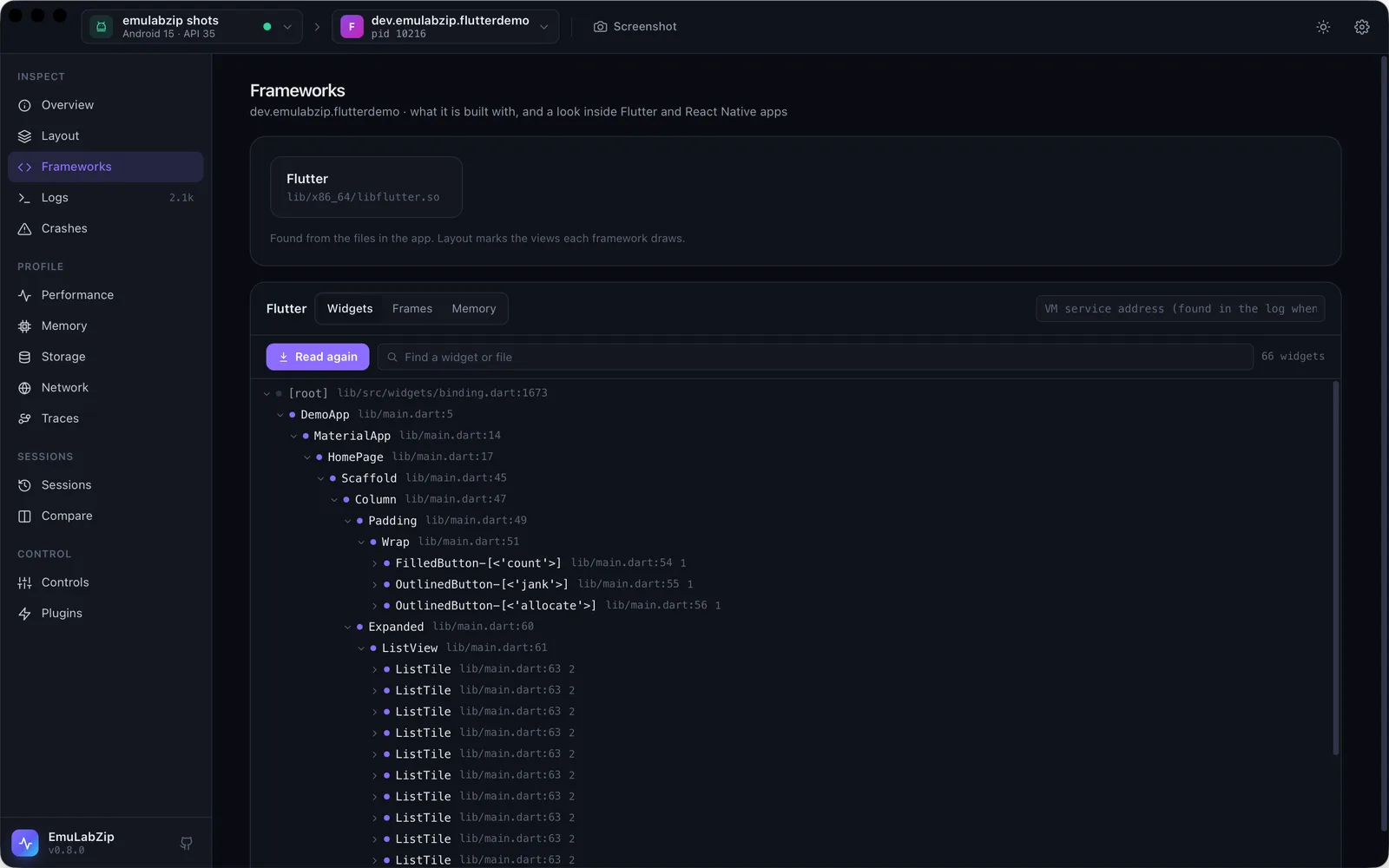
Debug and profile builds have a Dart VM service, which the app announces in the log:
The Dart VM service is listening on http://127.0.0.1:41233/token=/. EmuLabZip finds that line, reaches the port
through the device (adb on Android, the Mac's own network on the simulator, nothing is forwarded or left behind), and
talks JSON-RPC over a WebSocket.
emulabzip flutter tree com.example.app
emulabzip flutter frames com.example.app --seconds 10     # use the app meanwhile
emulabzip flutter memory com.example.app- Widgets: the tree the Flutter inspector shows.
●marks widgets made by your own code, with the file and line;○marks the framework's and packages'. The file names need the app to know where its widgets were made. Apps started withflutter rundo. Forflutter buildadd--extra-front-end-options=--track-widget-creation(tools/flutter-app/install.shdoes). Without it, the tree has no file names and says so. - Frames: build time (the UI thread) and raster time (the drawing thread) of each frame the app draws, with the janky ones counted: a frame is janky when either is over 16.7 ms. Nothing is drawn while the app is idle, so the number of frames depends on what you do while it records. An emulator without a graphics card rasterizes in software, so its raster times say little about a phone.
- Memory: the Dart heap in use and its size, the memory outside the heap that Dart objects keep alive (images, buffers), and the classes using the most.
If the address is not in the log any more (the log of a busy app scrolls), start the app again, or pass it:
--uri http://127.0.0.1:41233/token=/. A release build has no VM service.
React Native#
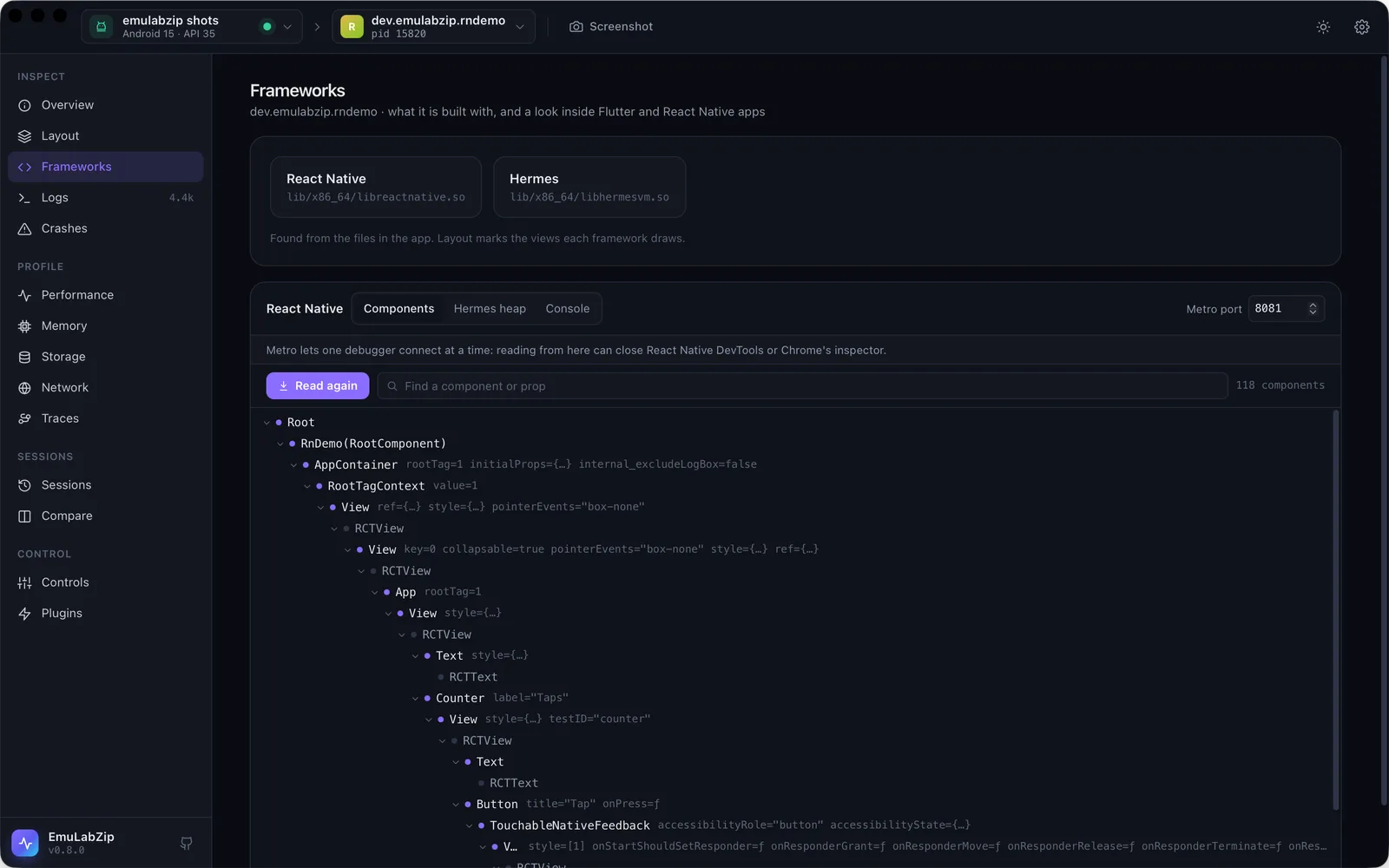
React Native apps in development talk to Metro, the development server, which lists the JavaScript runtime of each
connected app and proxies its Chrome DevTools protocol. EmuLabZip connects to Metro on your computer (port 8081, or
--metro <port>), picks the runtime that belongs to the app, and reads:
emulabzip rn tree com.example.app           # the React components, with props
emulabzip rn heap com.example.app           # Hermes' heap in use
emulabzip rn console com.example.app --seconds 20- Components: the React tree, read from the React DevTools hook a development build installs.
●marks components,○the native views they become. Props are shortened:title="Hello",onPress=ƒ. - Hermes heap and the version of Hermes.
- Console: what the app writes with
console.logand friends while you listen.
The State tab (and emulabzip rn state) reads Redux, React Query, React context and your own registered stores:
see React Native state.
Metro lets one debugger connect to an app at a time. Reading from EmuLabZip can close React Native DevTools or Chrome's inspector, and the other way round. Release builds have no Metro and no hook.
On Android the app reaches Metro through adb reverse tcp:8081 tcp:8081, which EmuLabZip leaves alone.
Jetpack Compose and SwiftUI#
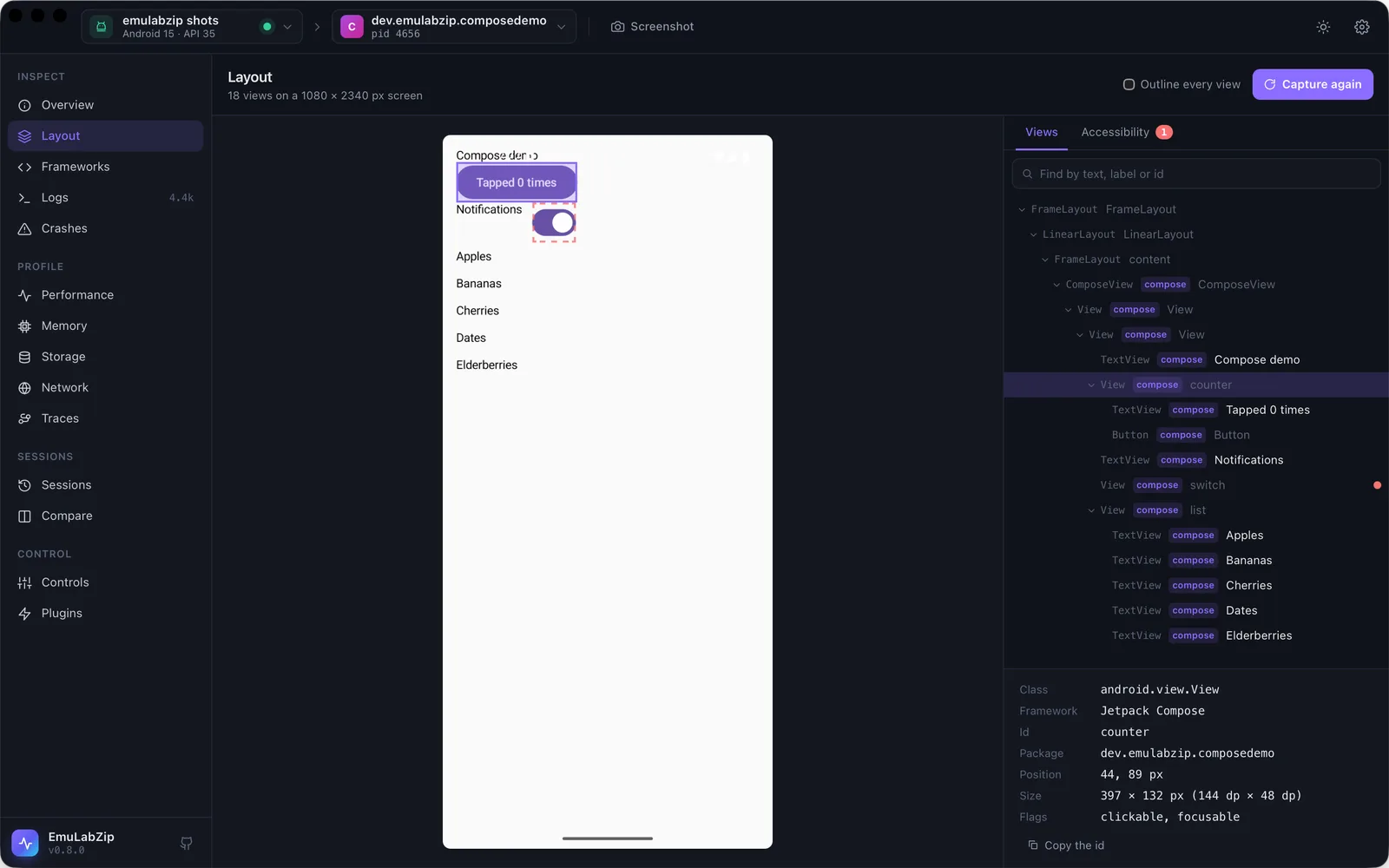
In Layout, the views a framework draws are marked, and the inspector shows which. Everything under a ComposeView
is Compose; test tags (Modifier.testTag) show as ids when the app turns on testTagsAsResourceId. Under a
FlutterView or a React Native root view the marks say flutter and react-native.
On iOS the accessibility tree has no class that says what drew a view, so with layout --app <bundle id> (and
selecting an app in the desktop app) the whole screen is marked with the framework of the app: Flutter, React Native,
Compose, then SwiftUI, in that order of preference. SwiftUI's own view types (VStack, Button) are not available
through accessibility: you see accessibility roles and the identifiers you gave.
Recomposition counts are not available. Android Studio's Layout Inspector gets them from an agent loaded into the debugged app, which uses interfaces that are not public. EmuLabZip only uses public interfaces, so it does not show them.
Trying it out#
tools/ has a demo app for each: compose-app, flutter-app, rn-app and swiftui-app, each with a README.