
Language, text size and text that does not fit
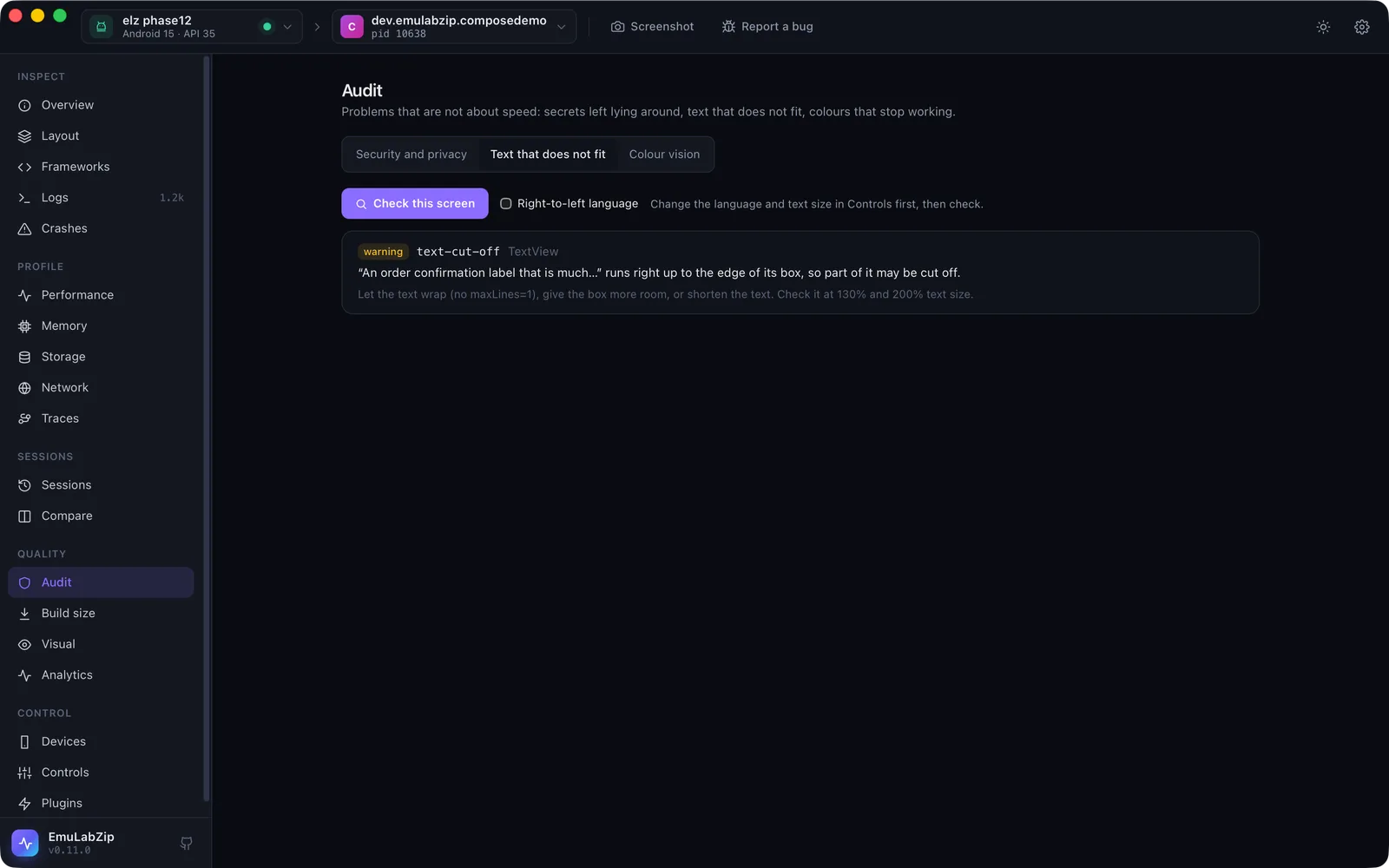
Text is where layouts break: a German word is longer, Arabic runs right to left, a person who needs big text sets it to 200%. EmuLabZip can change the language and text size of a device, check the screen for text that does not fit, and sweep a screen across several languages and sizes in one command.
Changing the device#
emulabzip control locale en-XA --app com.example.shop   # long, accented text
emulabzip control locale ar-XB --app com.example.shop   # right to left
emulabzip control reset-locale --app com.example.shop
emulabzip control font-scale 130                        # percent of normal; 100 puts it back
emulabzip control display --width 720 --height 1600 --density 320     # Android
emulabzip control reset-display| Android | iOS Simulator | |
|---|---|---|
| Language | cmd locale set-app-locales: one app at a time, Android 13 and newer. The pseudo-locales en-XA and ar-XB work. The app is told and recreates its screen | defaults write -g AppleLanguages and AppleLocale for the whole simulator; an app picks it up when it starts again |
| Text size | settings put system font_scale | simctl ui … content_size: the Dynamic Type size nearest the percentage (130% is extra-extra-extra-large, 200% accessibility-extra-large) |
| Display size and density | wm size, wm density | Not available |
A language tag is letters, digits and hyphens (de-DE, pt-BR, zh-Hans-CN). Text size is 50 to 300 percent. All of
these are in the Controls view too, under Text size and language and Display size.
Checking a screen#
emulabzip i18n check            # the screen as it is now
emulabzip i18n check --rtl # it is shown in a right-to-left language: also check the layout was mirrored| Rule | Looks for |
|---|---|
text-off-screen | Text that reaches past the edge of the screen (unless it is in something that scrolls) |
text-clipped-by-parent | Text that does not fit inside its container, so the container cuts it |
text-cut-off | A single line of text held to the room it was given, whose ink reaches the end of its box: it is probably cut off or ends in an ellipsis |
rtl-not-mirrored | In a right-to-left language, most of the screen's text still on the left |
text-cut-off is a heuristic. The layout says where each view is, and the screenshot says whether its text runs to the end of
the box. A label that merely hugs its text is not reported (its box is only as wide as the text), and a label is only
reported when its box ends where its container, or the next view in its row, leaves no room. The message says "may be".
Without a screenshot only the layout rules run.
Sweeping#
emulabzip i18n sweep --app com.example.shop --locales en-XA,ar-XB --scales 100,130,200The sweep tries each language at each text size, reads the layout, and prints a table: how many findings, which, and
which are worse than the device as it is now. The device is put back (text size and language) when it finishes, and
also when a step fails. --fail-on-worse exits with 1 when any setting is worse. On the iOS Simulator only text sizes are
swept, because an app only takes a new language when it starts again.
Text scaling is also looked at through the sweep: at 200% it reports touch targets and focus order that got worse.
For assistants#
Over MCP: control_locale, control_font_scale, control_display_size and check_text.
Limits#
- Android changes the language of an app, not the device. Device-wide languages need root.
- The heuristics see views, not glyphs. An icon font, a custom-drawn label or text in a game is not judged.
- Pseudo-locales rely on the app having its strings in resources; hard-coded text stays as it is.